

Mastering Field Security and Business Rules in VBS
Oracle has moved beyond simple interface updates with the introduction of the Oracle Redwood Design System. Beyond a simple interface to refresh, Redwood marks a fundamental shift in the construction, user experience, and customization of enterprise software. This Oracle Redwood design approach has a “user-first” philosophy designed to make enterprise software as intuitive as a consumer smartphone app.
If you are transitioning from classic ADF pages to Redwood, this Oracle Redwood implementation guide explains what customization is and how the new toolkit empowers you to build a more intelligent workspace. Regardless of where you work from, understanding this design system is now essential for modern Oracle Fusion development.
What is Redwood Customization?
In the past, Oracle Fusion personalization primarily relied on Sandboxes and Page Composer. While effective in the past, these tools lacked the flexibility required for complex logic and advanced UI customization.
Redwood Customization leverages Visual Builder Studio (VBS) to provide a professional-grade, low-code development environment. Instead of just moving fields around, you are creating application extensions. This allows you to:
Modify delivered pages without affecting the base code.
Apply complex business logic that reacts to user data in real time.
Ensure customizations survive automated quarterly updates seamlessly.
For those seeking a comprehensive Redwood description: it is an ecosystem where Oracle Redwood design seamlessly integrates with high-end functionality.

The Powerhouse: Visual Builder Studio (VBS)
VBS Redwood in Oracle Fusion is the primary engine for all Redwood changes. It operates in two main modes tailored to different expertise levels:
Express Mode (Functional & Low-Code): Designed for functional consultants to make rapid changes using a visual “point-and-click” interface.
Advanced Mode (Developer-Centric): Provides a deeper toolkit to create action chains and connect to custom REST APIs.
Business Rules: The Logic Layer
The most significant feature within Redwood customization—and a key part of the Oracle Redwood roadmap—is the business rules engine. Think of this as the “brain” of your page. While many ask if Redwood in Oracle is Fusion HCM, a huge part of the answer lies in how we handle data logic.
In the past, we relied on autocomplete rules in Redwood or the Redwood helper tool for basic validation. Today, business rules allow you to define exactly how a page should behave under different circumstances.
Customization Type, How It Works
Field Editability: Make a field “Read-Only” (e.g., a defaulted charge account).
Conditional Visibility: Hide sections based on “Requisition Total.”
Mandatory inputs force a “reason code” based on transaction type.
By default, automatically fill in fields based on location.
Why the Shift to Redwood Matters
The Oracle Redwood color palette and Oracle Redwood design system offer more than just aesthetics:
Fewer Clicks: Optimized layouts mean faster actions.
Consistent Experience: The buttons, search bars, and logic feel the same across HCM, SCM, or Financials.
Mobile Ready: Pages are natively responsive.
Transitioning from Concept to Practice: A Masterclass in Redwood Logic
We have explored the foundational shift that Redwood customization brings—a true bridge between enterprise power and modern user simplicity. By mastering VBS and the business rules engine, you are fundamentally optimizing your business processes.
However, theory is the first step. Ensuring data consistency is a critical requirement. Often, sophisticated backend logic, such as the Transaction Account Definition (TAD) in Oracle Fusion, automatically determines the correct accounting flex fields. To maintain strict compliance and ensure your financial reporting remains accurate, it is vital to restrict users from overriding these values.
According to the latest Oracle Redwood documentation, the journey begins with your Fusion instance. Simply look for the “Edit Page in Visual Builder” option to launch your VBS workspace.
We will now transition into a practical guide led by an experienced Oracle Fusion trainer with 10 years of experience (formerly of Oracle Corporation), designed to show you how to transform an editable field into a secure, read-only component.
The Use Case: Securing the Requisition Charge Account
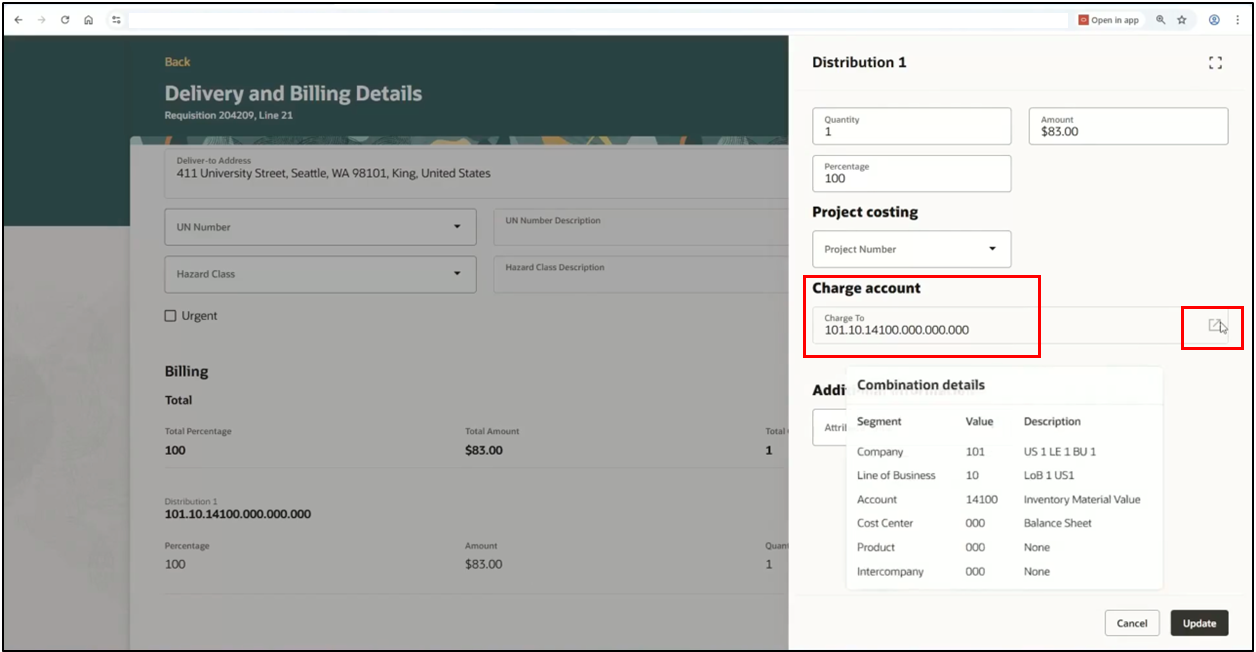
By default, when a requester creates a purchase requisition, the system populates a charge account. Standard functionality allows users to manually edit this. In this guide, we will walk through the steps to lock this field, ensuring the backend logic remains the “single source of truth.”
Step-by-Step Implementation Guide
Step 1: Accessing the Visual Builder Studio
To begin, you must navigate from the live application to the development environment.
Sign in to the Fusion instance.
1. Navigate to Procurement > Purchase Requisitions.
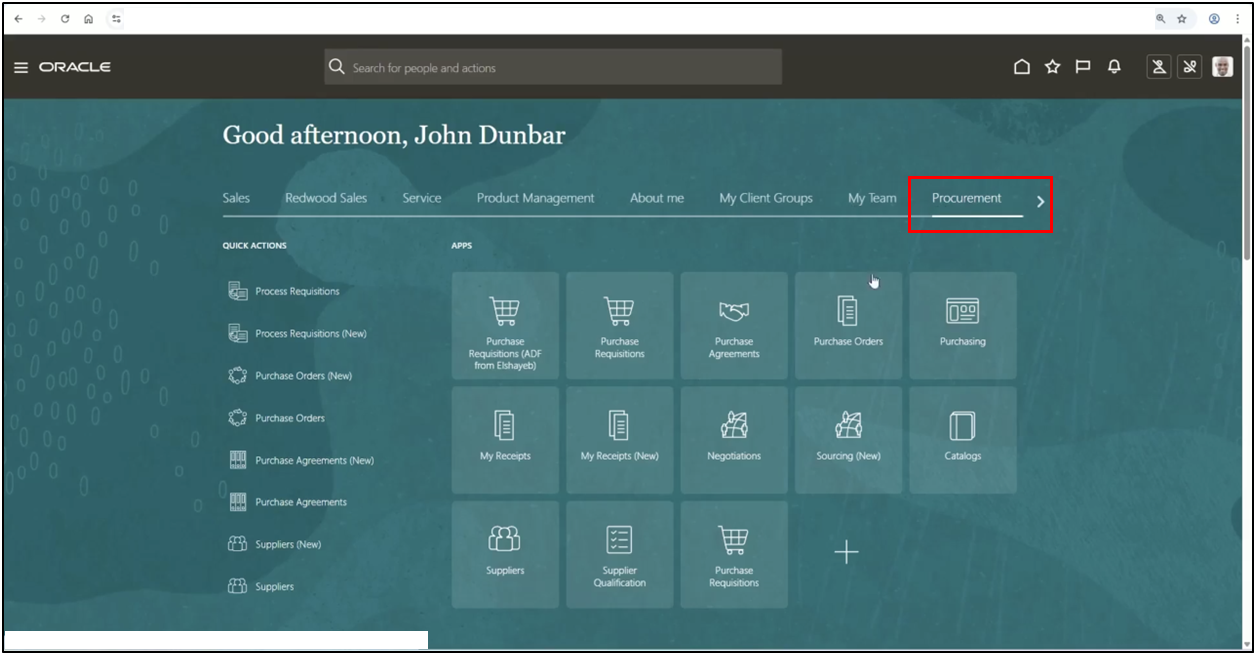
2. Purchase Requisitions.
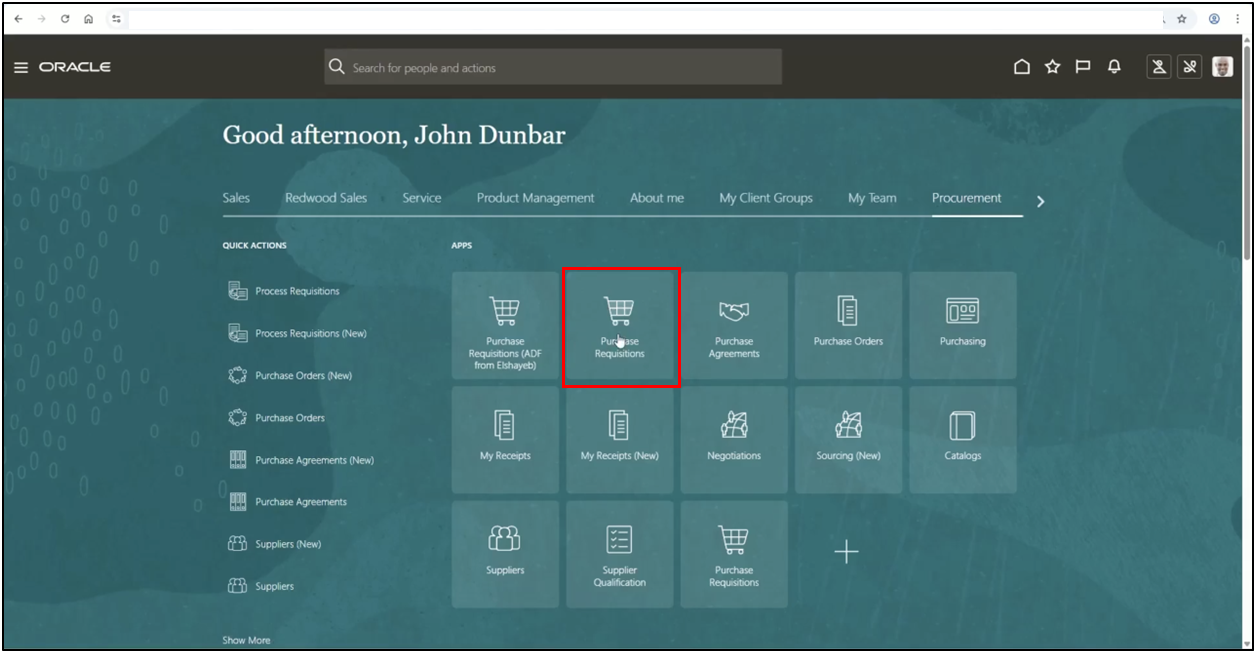
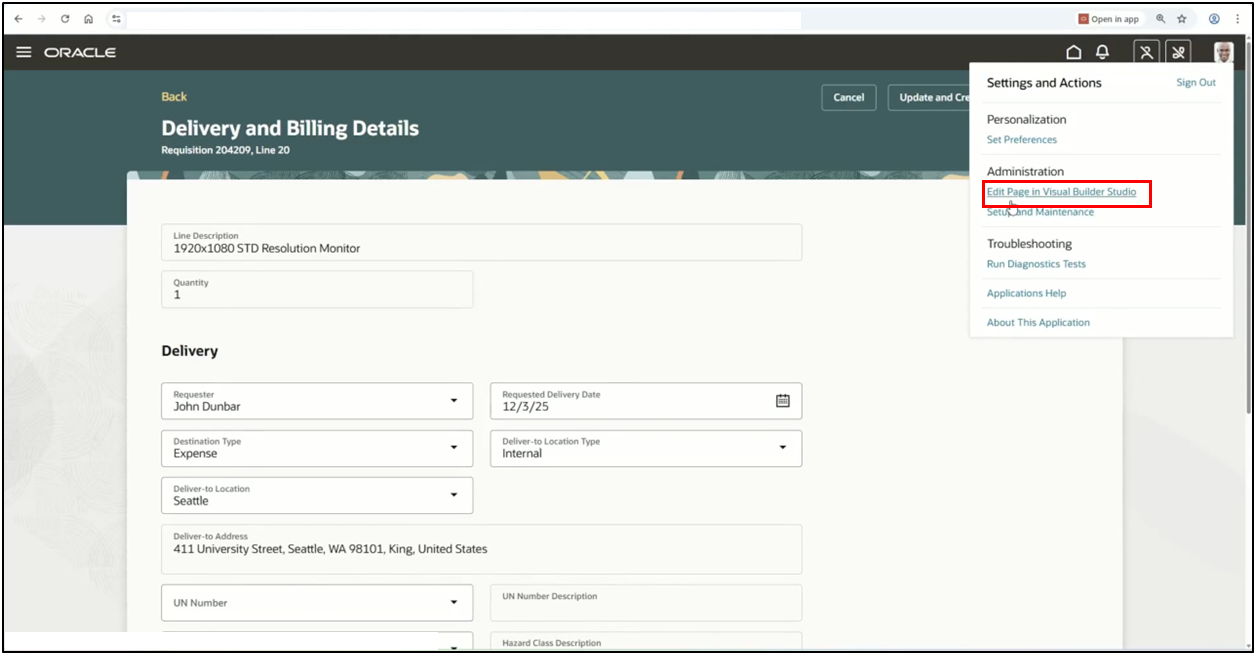
3. Click on Settings and Actions (the profile icon).
4. Select Edit Page in Visual Builder.
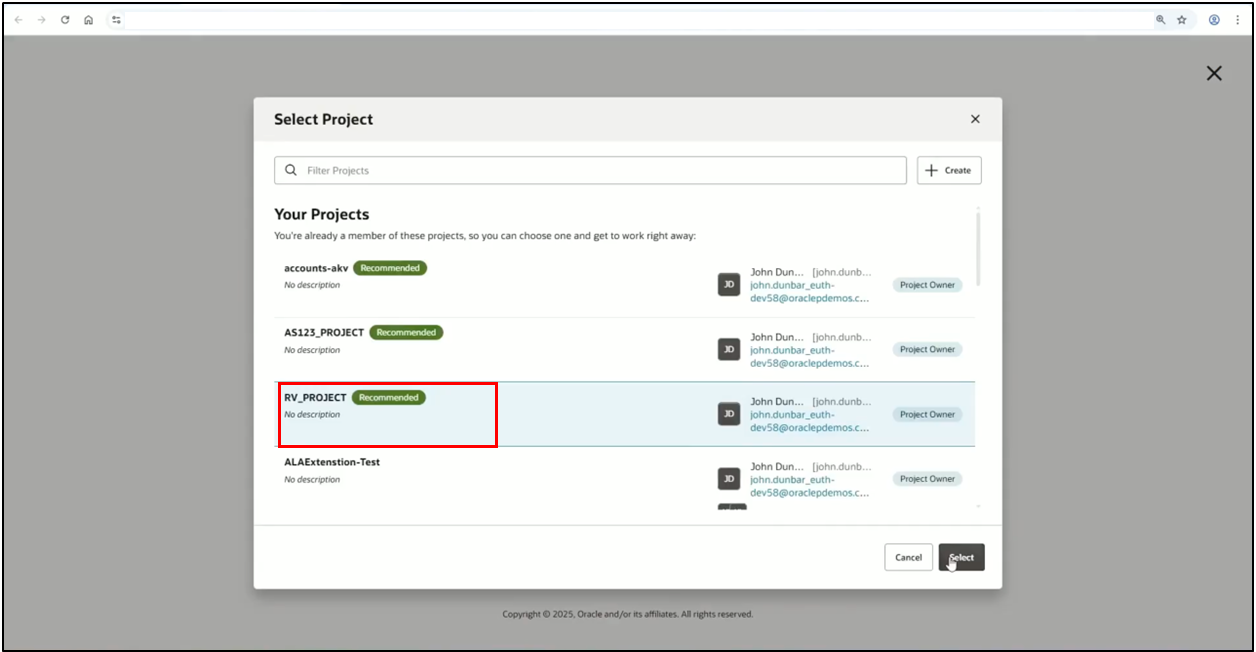
5. Select your active project to open the page designer.
Step 2: Navigating to Business Rules
Once the page is loaded into the VBS designer, you need to access the logic layer.
1. In the left-hand pane, click on Configure Fields and Regions.
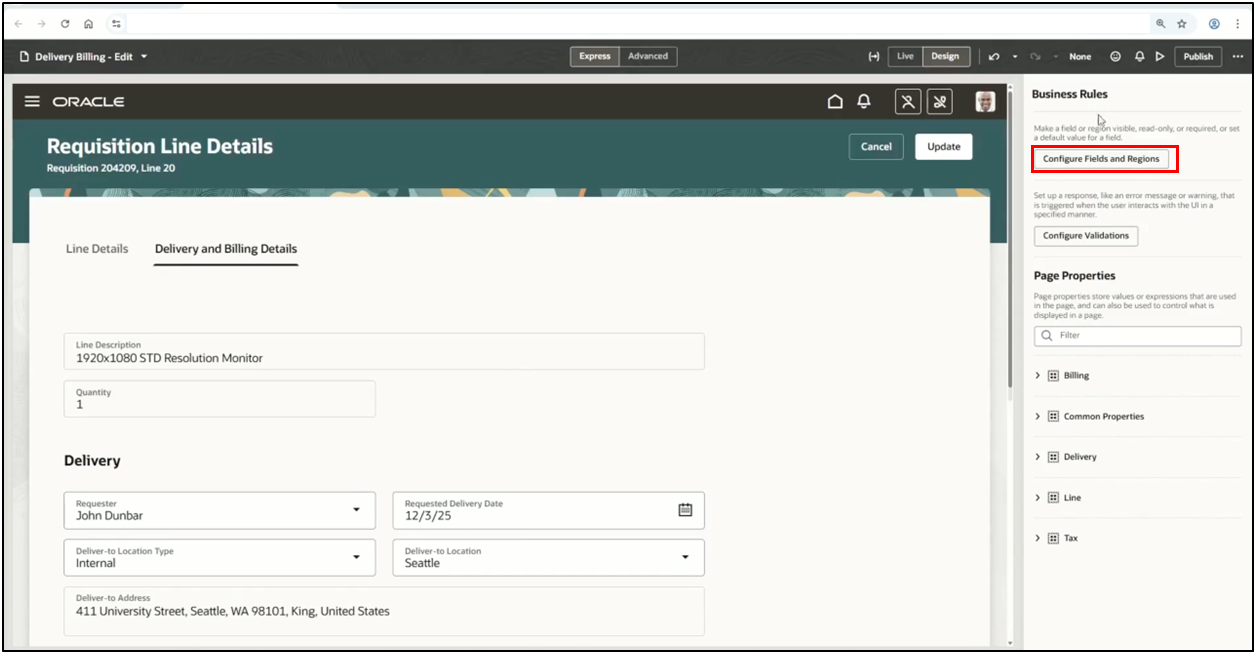
2. Select the Business Rules tab.
Step 3: Creating a New Form Rule
Instead of modifying global defaults, create a specific rule for your requirements.
1. Click the + (plus) icon to create a new rule.
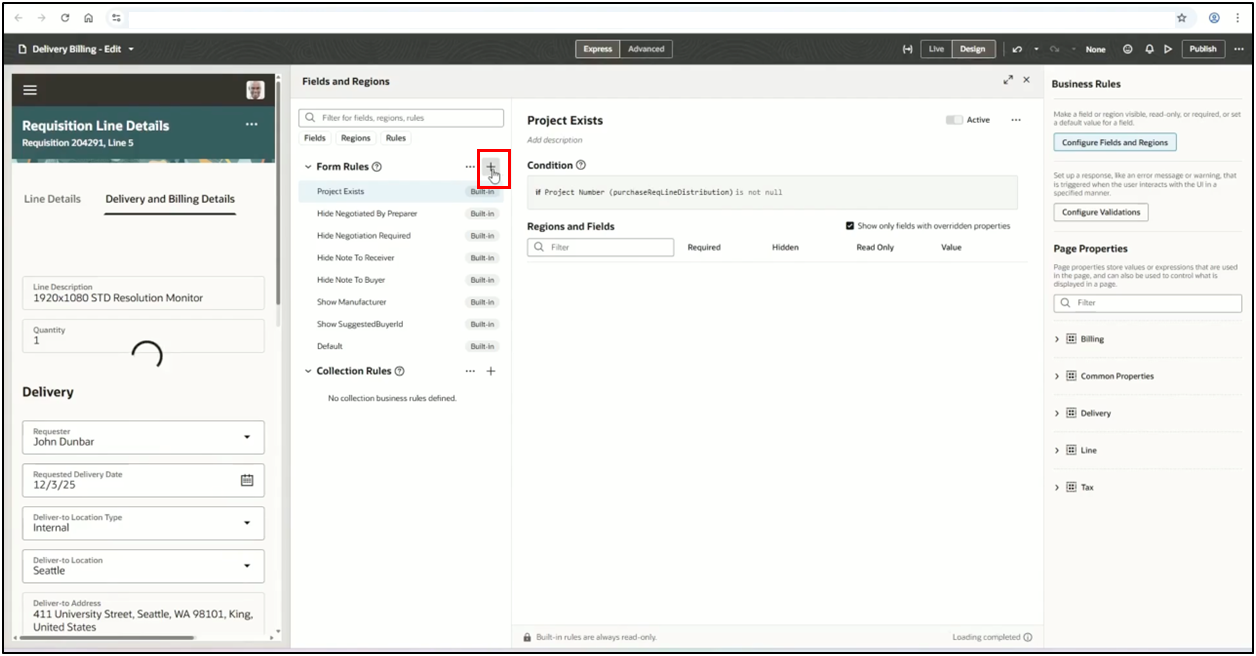
2. Enter a unique identifier and then click the Create button.
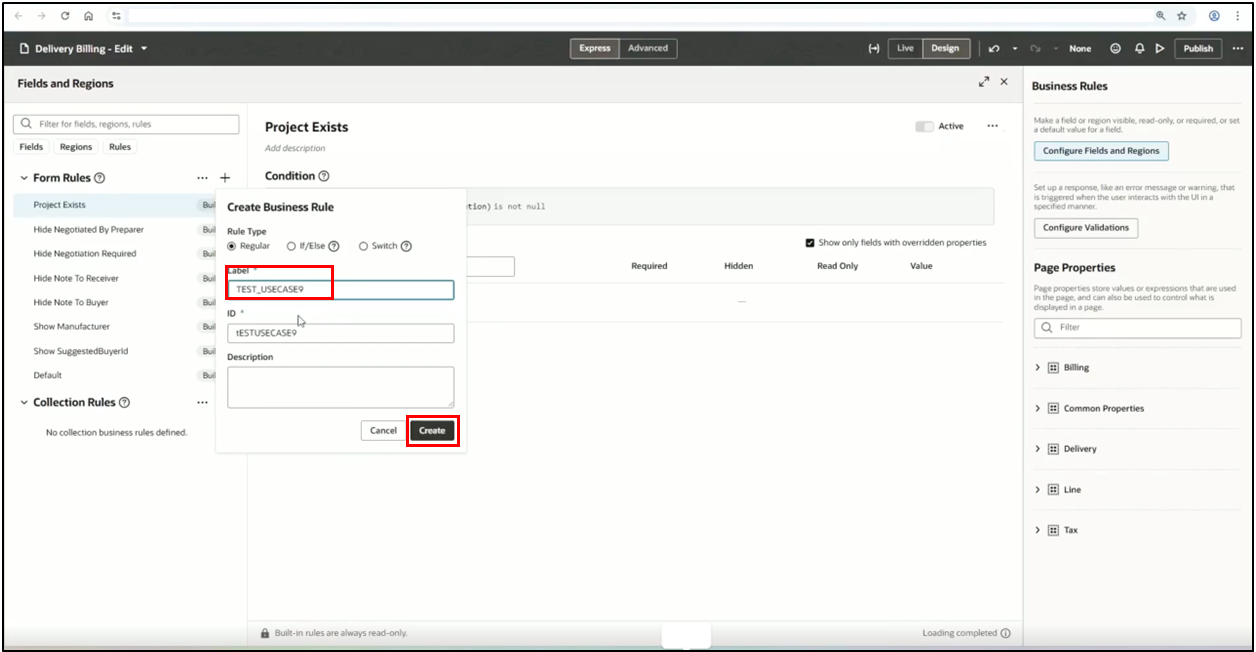
Step 4: Configuring Field Properties
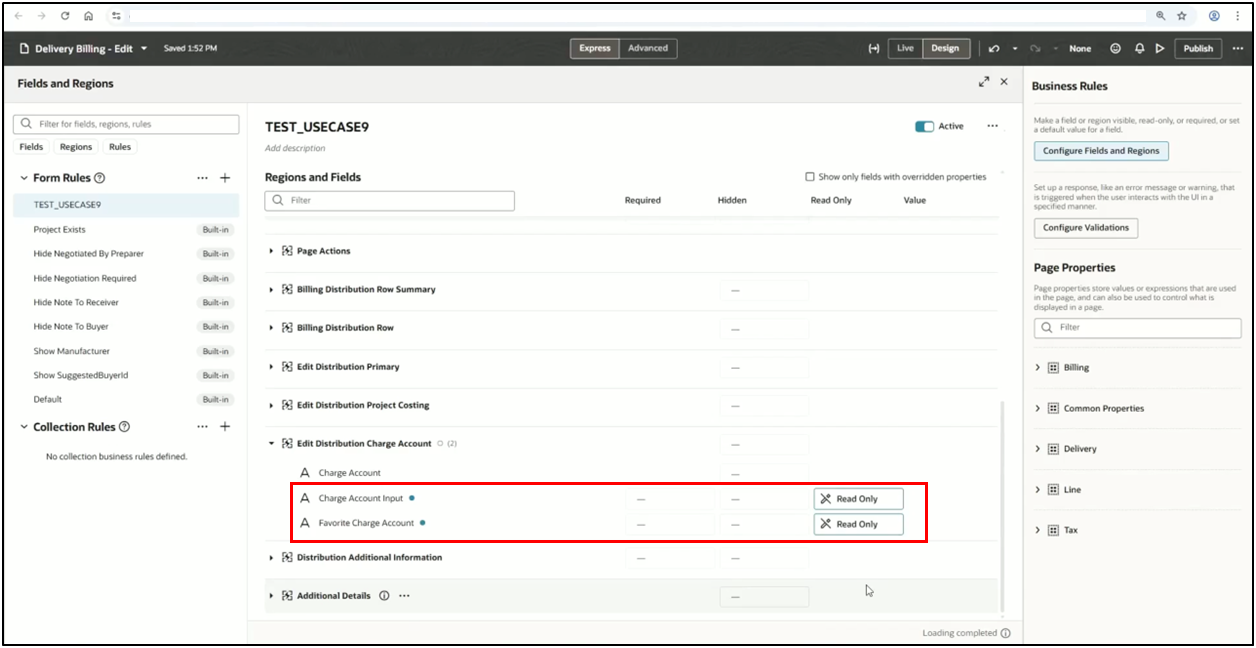
1. In the Rule Editor, search for “Predefined Charge Account” and identify the associated fields.
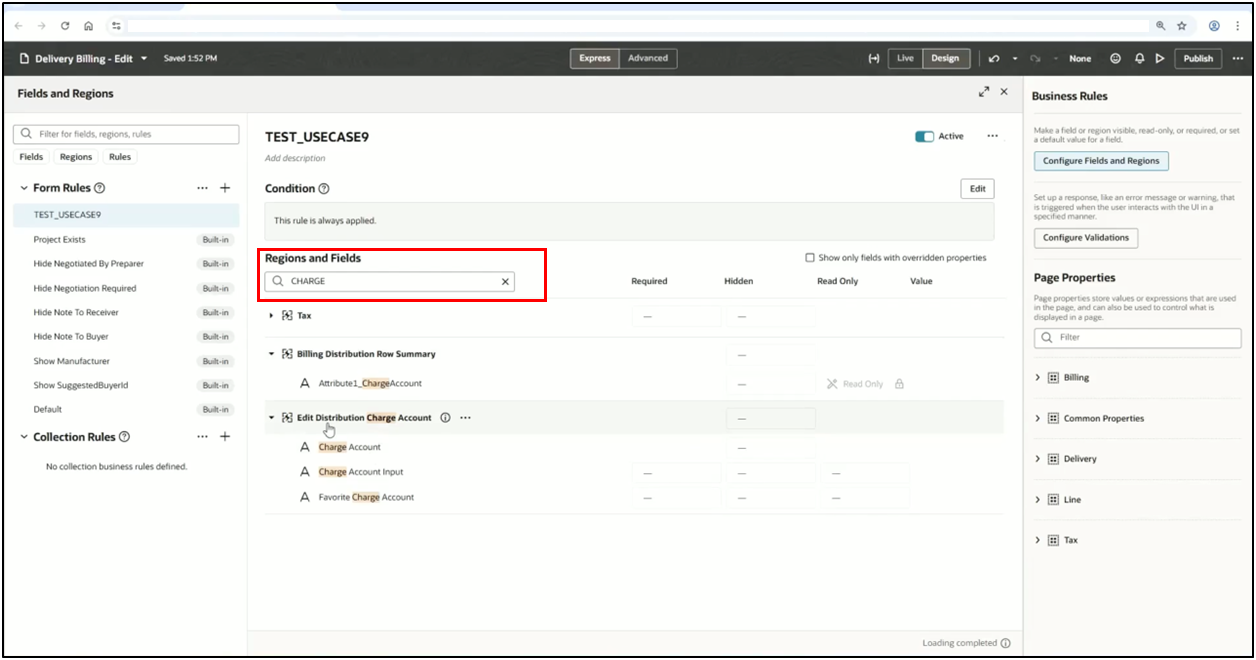
2. Edit Distribution Charge Account
3. Favorite Charge Account
4. Set the Read Only property to True.
Step 5: Validating with Preview
1. Before deploying, use the Preview (Play) icon.
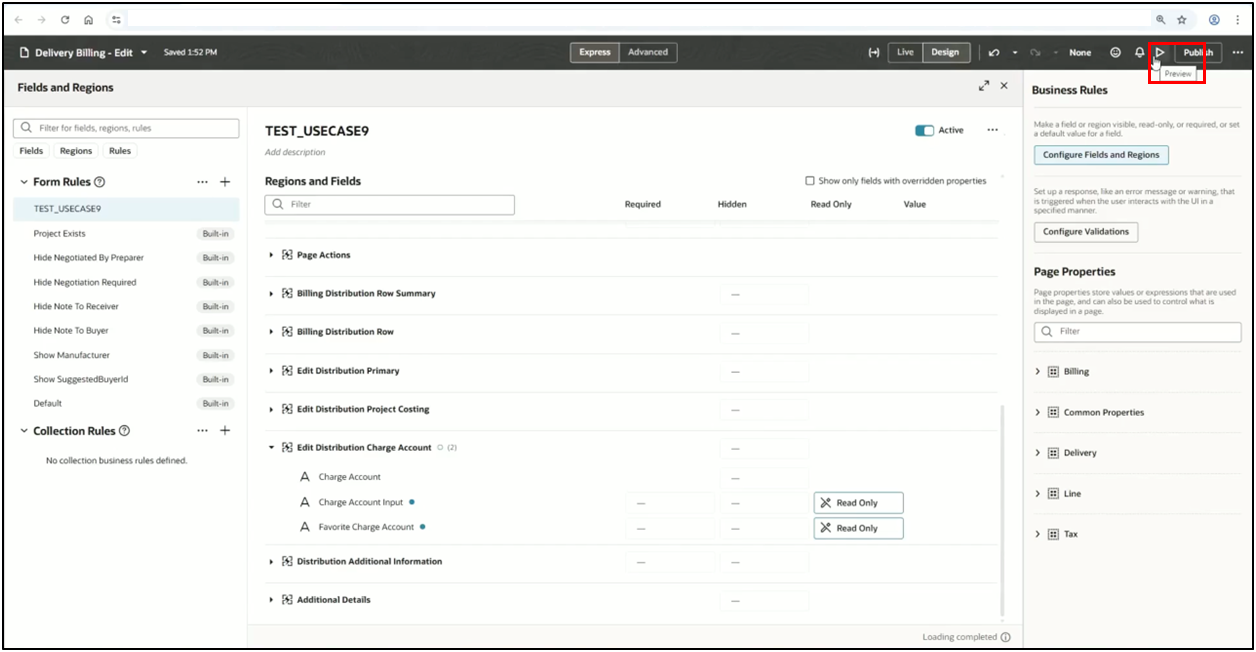
2. Review the requisition line to ensure the Charge Account field is locked, confirming that the business rule has been applied successfully.
Finalizing the Changes
If the preview confirms the lock, you can proceed to publish it. Submit your changes through the VBS publishing process to move the customization to your test or production environment.
Summary of Benefits
By utilizing Redwood Business Rules for field-level security, you achieve the following:
Reduced Errors: Eliminates the risk of incorrect accounting codes.
Process Automation: Forces the application to rely on pre-configured TAD logic.
Seamless UI: Users see exactly what is relevant to them.
Always refer to the latest Oracle Redwood documentation and the Oracle Redwood roadmap for the most up-to-date features and best practices.